
Subtotal $0.00

We promote a savings and investment culture while providing affordable credit for the enhancement of the economic and social welfare of our members and other stakeholders
Empower House, Githurai 45, Thika Road

Living abroad doesn’t mean you have to put your financial goals in Kenya on hold.
As a Kingdom Sacco member, you can conveniently send money directly to your Kingdom Sacco account through international money transfer providers.
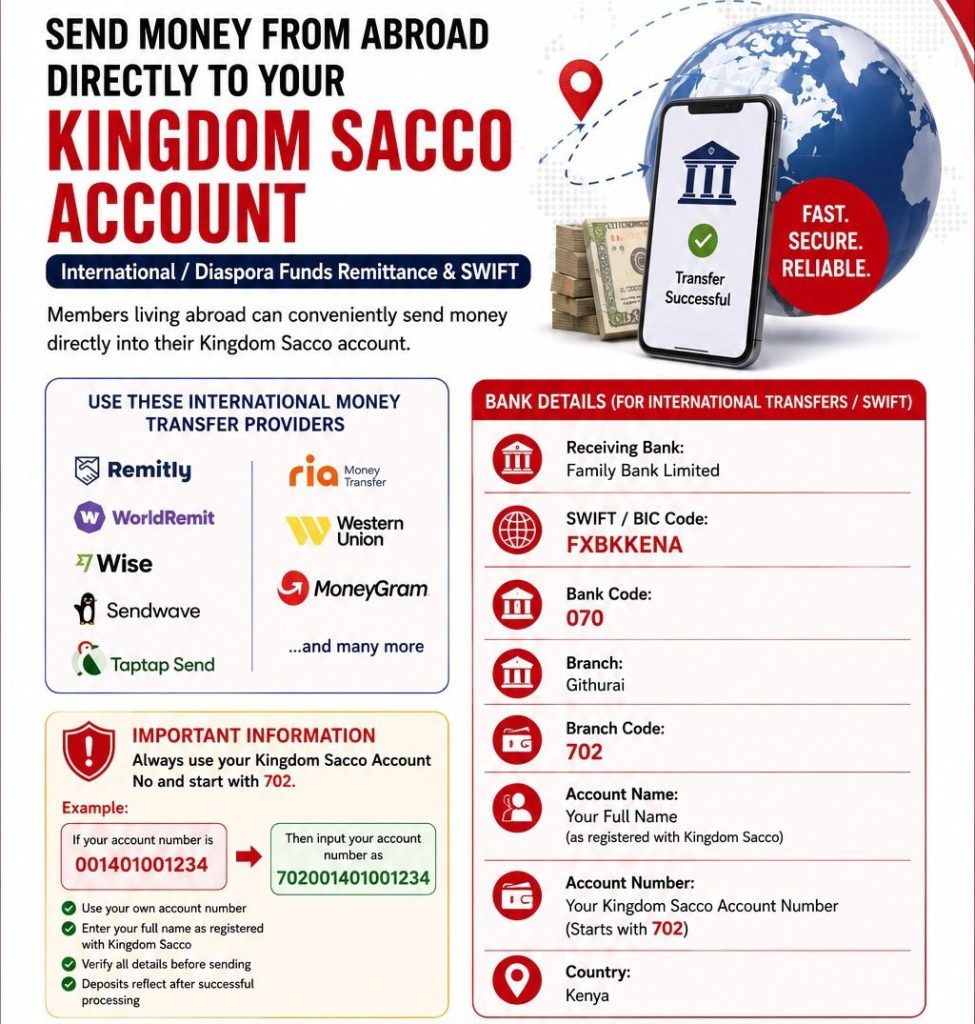
Kingdom Sacco members abroad can use any of the following international money transfer providers to send funds directly:
Simply select Family Bank Limited as the receiving bank when sending through any of these providers, then follow the details below.
This is the part members most often get wrong, so pay close attention.
When sending money internationally, you must add the prefix 702 to the beginning of your Kingdom Sacco account number.
Example: If your Kingdom Sacco account number is 001401001234, you should input it as 702001401001234 when sending money from abroad.
Getting this wrong is the number one reason diaspora deposits fail to reflect, so always double check before confirming your transfer.
Before you hit “confirm” on your transfer, make sure you:
When sending money internationally to your Kingdom Sacco account, you’ll need the following details:
| Detail | Information |
|---|---|
| Receiving Bank | Family Bank Limited |
| SWIFT / BIC Code | FXBKKENA |
| Bank Code | 070 |
| Branch | Githurai |
| Branch Code | 702 |
| Account Name | Your Full Name (as registered with Kingdom Sacco) |
| Account Number | Your Kingdom Sacco Account Number (starts with 702) |
| Country | Kenya |
This is the part members most often get wrong, so pay close attention.
When sending money internationally, you must add the prefix 702 to the beginning of your Kingdom Sacco account number.
Example: If your Kingdom Sacco account number is 001401001234, you should input it as 702001401001234 when sending money from abroad.
Getting this wrong is the number one reason diaspora deposits fail to reflect, so always double check before confirming your transfer.
Before you hit “confirm” on your transfer, make sure you: